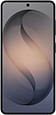
Galaxy S26 eSIM Information
| eSIM Supported | ✓ Yes |
| SIM Type | eSIM + Nano-SIM |
| SIM Slots | 2 slots |
| Max eSIM Profiles | 8 profiles |
| Dual eSIM | ✓ eSIM Supported |
| Release Year | 2026 |
| Operating System | One UI |
How to Check if Galaxy S26 Supports eSIM
Not sure if Galaxy S26 supports eSIM? Follow these steps.
Open the Settings app on your phone
Go to About phone and look for EID or eSIM
If you see an EID, your Galaxy S26 supports eSIM
How to Set Up eSIM on Galaxy S26
Setting up eSIM on Galaxy S26 is easy. Follow these steps.
Buy eSIM from a provider via app or website. Get QR code instantly.
Settings > Connections > SIM manager > Add eSIM
Scan the QR code you received, or enter the code manually.
Set eSIM as primary or data SIM. Your Galaxy S26 is ready to use.
❓ Frequently Asked Questions about Galaxy S26
How many eSIMs can Galaxy S26 use?
Galaxy S26 supports eSIM and can store up to 8 eSIM profiles. You can switch between them as needed.
Does Galaxy S26 have a SIM tray?
Yes, Galaxy S26 has a SIM tray for eSIM + Nano-SIM. It supports both physical SIM and eSIM.
How many SIMs can Galaxy S26 use?
Galaxy S26 supports 2 SIMs simultaneously (eSIM + Nano-SIM). Dual SIM is fully supported.
Can Galaxy S26 use 2 SIMs at once?
Yes, Galaxy S26 supports Dual SIM. You can use eSIM with a physical SIM, or use 2 eSIMs together.
What type of SIM does Galaxy S26 use?
Galaxy S26 supports eSIM + Nano-SIM. You can use either eSIM or physical SIM as preferred.
Which carriers support eSIM on Galaxy S26?
Galaxy S26 works with eSIM from all major carriers, including travel eSIM providers for international use.
What if Galaxy S26 doesn't read my SIM?
Try restarting your device. Check if the SIM is inserted correctly. For eSIM, go to Settings > Cellular and verify it's enabled, or try removing and reinstalling the eSIM.