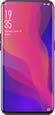
Why doesn't Find X have eSIM?
Find X doesn't have eSIM hardware built-in. eSIM cannot be added via software update.
| eSIM Supported | ✗ No |
| SIM Type | Nano-SIM |
| SIM Slots | 2 slots |
| Release Year | 2018 |
| Operating System | Color OS |
✈️ Need data abroad?
Even without eSIM, you can still get mobile data abroad.
💡
Physical Travel SIM — Buy a travel SIM card and insert it in your second SIM slot.
❓ Frequently Asked Questions about Find X
Does Find X support eSIM?
No, Find X does not support eSIM. It only works with physical SIM cards.
How many SIMs can Find X use?
Find X supports 2 physical SIMs (Nano-SIM). No eSIM support.
What type of SIM does Find X use?
Find X uses physical Nano-SIM only. No eSIM support.
Can Find X be updated to support eSIM?
No, eSIM requires hardware built into the device. Software updates cannot add eSIM support.
How to insert SIM in Find X
Use the SIM ejector tool to open the tray. Place the Nano-SIM card aligned with the slot, then push the tray back in.