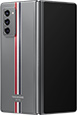
Información eSIM de Galaxy Z Fold 2 Thom Browne Edition
| Compatible con eSIM | ✓ Sí |
| Tipo de SIM | eSIM + Nano-SIM |
| Ranuras SIM | 1 ranuras |
| Perfiles eSIM máximos | 8 profiles |
| Dual eSIM | ✓ Compatible con eSIM |
| Año de lanzamiento | 2020 |
| Sistema operativo | One UI |
Cómo verificar si Galaxy Z Fold 2 Thom Browne Edition es compatible con eSIM
¿No estás seguro si Galaxy Z Fold 2 Thom Browne Edition es compatible con eSIM? Sigue estos pasos.
Abre la app Ajustes en tu teléfono
Ve a Acerca del teléfono y busca EID o eSIM
Si ves un EID, tu Galaxy Z Fold 2 Thom Browne Edition es compatible con eSIM
Cómo configurar eSIM en Galaxy Z Fold 2 Thom Browne Edition
Configurar eSIM en Galaxy Z Fold 2 Thom Browne Edition es fácil. Sigue estos pasos.
Compra eSIM de un proveedor vía app o web. Recibe el código QR al instante.
Settings > Connections > SIM manager > Add eSIM
Escanea el código QR que recibiste, o introduce el código manualmente.
Configura eSIM como SIM principal o de datos. Tu Galaxy Z Fold 2 Thom Browne Edition está listo.
❓ Preguntas frecuentes sobre Galaxy Z Fold 2 Thom Browne Edition
¿Cuántas eSIM puede usar Galaxy Z Fold 2 Thom Browne Edition?
Galaxy Z Fold 2 Thom Browne Edition es compatible con eSIM y puede almacenar hasta 8 perfiles eSIM. Puedes cambiar entre ellos según necesites.
¿Galaxy Z Fold 2 Thom Browne Edition tiene bandeja SIM?
Sí, Galaxy Z Fold 2 Thom Browne Edition tiene bandeja SIM para eSIM + Nano-SIM. Compatible con SIM física y eSIM.
¿Cuántas SIM puede usar Galaxy Z Fold 2 Thom Browne Edition?
Galaxy Z Fold 2 Thom Browne Edition admite 1 SIMs simultáneamente (eSIM + Nano-SIM). Dual SIM totalmente compatible.
¿Galaxy Z Fold 2 Thom Browne Edition puede usar 2 SIMs a la vez?
Sí, Galaxy Z Fold 2 Thom Browne Edition es compatible con Dual SIM. Puedes usar eSIM con SIM física, o usar 2 eSIMs juntas.
¿Qué tipo de SIM usa Galaxy Z Fold 2 Thom Browne Edition?
Galaxy Z Fold 2 Thom Browne Edition es compatible con eSIM + Nano-SIM. Puedes usar eSIM o SIM física según prefieras.
¿Qué operadores admiten eSIM en Galaxy Z Fold 2 Thom Browne Edition?
Galaxy Z Fold 2 Thom Browne Edition funciona con eSIM de todos los operadores principales, incluyendo proveedores de eSIM de viaje para uso internacional.
¿Qué pasa si Galaxy Z Fold 2 Thom Browne Edition no lee mi SIM?
Intenta reiniciar el dispositivo. Verifica que la SIM esté insertada correctamente. Para eSIM, ve a Ajustes > Datos móviles y verifica que esté activada, o intenta eliminar y reinstalar la eSIM.